

TL;DR
- We rank 9 AI tools for outbound in 2026, with Explorium leading on agent-native data, MCP support, and unified credit pricing.
- Cost-per-meeting beats seat price: an Explorium plus Claude Code plus Smartlead stack dropped cost-per-meeting to ~$6.50, a 2.3x lift.
- Smartlead won deliverability at 75.49% inbox placement; Lemlist is the only sender with a native MCP server alongside Explorium.
- Compliance must live at the data layer, not the sender: suppression, lawful-basis tagging, and audit logs per agent action.
- The 2026 stack is four layers: data (Explorium MCP), reasoning (Claude or n8n), sending (Smartlead or Lemlist), human-in-the-loop drafts review.
- Match rate moves the curve: Explorium hit 97.80% on company website URL versus Apollo's 78.04% in our 2025 benchmark.
Q1: What Are the 9 Best AI Tools for Outbound for GTM in 2026? [toc=1. The 9-Tool Shortlist]
A growth lead at a Series-B sales-tech company pinged me at 11:47 PM last Tuesday. She had seven tabs open. Apollo for contacts, Clay for waterfalls, Smartlead for sending, Lavender for copy, BuiltWith for tech stack, a Notion doc for tracking, and her CRM. Her question was simple. "Or, my reply rate dropped from 6% to 1.8% in three weeks. Which of these is the leak?"
The honest answer was none of them, and all of them. The leak was the architecture. Seven tools, seven credit pools, seven matching layers, and a human, her, stitching it together at midnight. The 2026 outbound stack has fractured into specialists, and the operator has become the integration glue. This guide ranks the 9 tools that matter, and shows where each one fits, breaks, or scales.
The 9-Tool Shortlist
The 9 best AI tools for outbound in 2026 are Explorium, Apollo.io, Clay, Smartlead, Instantly, Lemlist, Outreach AgentSource, Saleshandy, and HeyReach. Explorium leads because it ships an MCP-native data layer with 30+ enrichments on one credit pool. The remaining eight split across UI-led prospecting, sending infrastructure, and incumbent sequencers.
How To Pick Without Reading the Whole Article
Choosing a B2B outbound stack is a high-stakes decision for SaaS, sales-tech, and AI-tooling teams running production agents at 1K+ enrichments per day. Rather than ranking by popularity, this guide evaluates 9 providers using operational, technical, and commercial criteria relevant to GTM Engineers, RevOps leaders, and AI Product Managers. We analyzed first-party benchmarks, G2, Gartner, and Capterra reviews, and primary documentation, scoring each tool on data coverage, agent and MCP readiness, deliverability control, personalization depth, compliance posture, and commercial-model transparency. The goal is procurement-grade clarity, not promotion.
<>✅ Our Evaluation Criteria- Time to Value ⏰: API onboarding speed, documentation clarity, time to first successful enrichment.
- Data Coverage and Accuracy 📊: Database breadth, segment-level strengths, email and phone accuracy, known gaps.
- Field Depth and Signal Quality ⭐: Firmographic, technographic, intent, and behavioral signal richness per entity.
- Agent and API Readiness 🤖: Rate limits, MCP compatibility, usability inside LLM-driven workflows.
- Scalability and Infrastructure ⚙️: Volume tolerance, uptime guarantees, sync-API stability at 10K+ calls/day.
- Compliance and Governance ✅: GDPR, CCPA, SOC 2, and suppression-list handling at the data layer.
- Commercial Model Transparency 💰: Cost per enrichment, free-tier availability, hidden credit and seat constraints.
👤 Who This Guide Is For
- GTM Engineers building agent-native enrichment workflows
- RevOps teams optimizing outbound targeting and data freshness
- AI Product Managers integrating real-time data into LLM applications
- Data and Engineering teams evaluating third-party APIs versus in-house pipelines
📊 Master Comparison Table
| Provider (Stars) | Best For | Data Strength | API/Agent Readiness | Pricing Model |
|---|---|---|---|---|
| Explorium ⭐⭐⭐⭐⭐ | Agent-native GTM stacks | 50+ aggregated sources, 97.80% NOE match-rate | Native MCP server + sync REST API | Unified credits, 400 free, custom enterprise |
| Apollo.io ⭐⭐⭐ | Mid-market SaaS SDR teams | 275M contacts, SaaS-skewed | REST API (tier-gated), no MCP | $49 to $119/seat + credits |
| Clay ⭐⭐⭐ | RevOps spreadsheet waterfalls | Aggregator of 50+ vendors | Async API, no native MCP | $149 to $800+/mo, per-credit |
| Smartlead ⭐⭐⭐⭐ | High-volume agency sending | Sending-only, no data | REST API, webhook-rich | $39 to $94/mo, unlimited inboxes |
| Instantly ⭐⭐⭐ | Solo founder cold email | Sending + light data | REST API | $37 to $97/mo |
| Lemlist ⭐⭐⭐⭐ | Multi-channel + Claude MCP | Sending + AiSDR | MCP-native, REST | $39 to $99/seat |
| Outreach AgentSource ⭐⭐⭐ | Outreach incumbents | Sequencer + agent marketplace | API + agent SDK | Enterprise contract |
| Saleshandy ⭐⭐⭐ | Budget SDR teams | Sending + light prospecting | REST API | $36 to $99/mo |
| HeyReach ⭐⭐⭐ | LinkedIn-led outbound | LinkedIn-only data | REST API | $79 to $199/mo |
A 2025 Explorium first-party benchmark on US mid-market enrichment found a 97.80% match rate on company website URL, vs 89.62% for ZoomInfo and 78.04% for Apollo. That gap is why I keep saying numbers beat logos.
1.1 Explorium, Best for Agent-Native GTM Stacks Consolidating 50+ Sources Behind One API and One MCP Server [toc=1.1 Explorium]
Overview
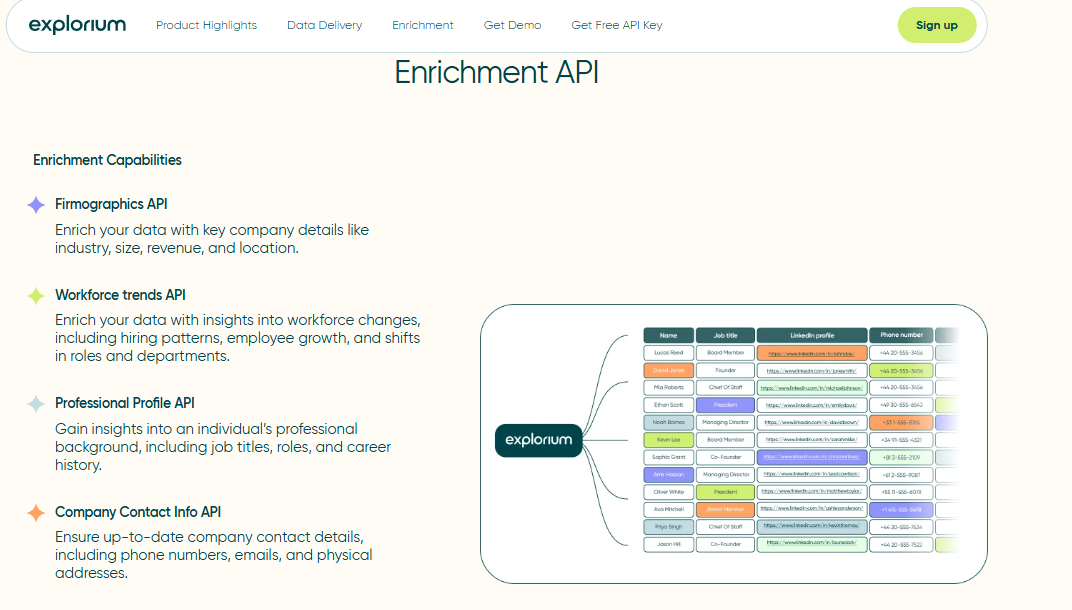
Explorium is the data layer underneath outbound agents. It is not a sequencer, not a UI for SDRs, and not a single-signal contact provider. It is one API and one MCP server fronting 50+ aggregated sources covering firmographics, technographics, intent, hiring, funding, and contact data. The agent decides what to fetch. Builders pay one bill from one credit pool.
⏰ Time to first API call: UI ~5 minutes (Vibe Prospecting chat), API call ~15 to 25 minutes.
⚙️ Setup complexity: Low (single API key, MCP endpoint pre-configured for Claude and ChatGPT).
Core Services
- Unified company and contact enrichment across 50+ aggregated sources
- Native MCP server for Claude, ChatGPT, and custom agents
- Vibe Prospecting NLP lead-list builder (“find marketing decision makers at digital agencies in Florida”)
- Sync API for high-volume workloads (10K+ calls/day)
- AgentSource toolkit and resale rights on custom plans
📊 Data Coverage and Field Depth (Reality Check)
Strong in:
- US and EU mid-market and enterprise company enrichment
- Cross-signal coverage (intent, hiring, funding, technographics in one call)
- Match-rate on company website URL, NAICS, NOE
Weak in:
- Hyper-local SMB phone coverage in some non-tech verticals (PDL still wins here in spots)
- Point-in-time historical data depth (improving on roadmap per Gartner reviewer feedback)
Field depth: 30+ enrichments per entity covering firmographic, contact, technographic, intent, hiring, funding, and behavioral signals.
⭐ Confidence Level: High for B2B mid-market and enterprise; Medium for SMB phone numbers in non-tech sectors.
🤖 API and Agent Readiness
- API availability: Yes (REST + Sync)
- API depth: High (30+ enrichments via single endpoint)
- MCP compatibility: ✅ Native MCP server
- Agent usability: High (the agent picks the enrichment, not the human)
💰 Pricing and Cost Structure
Pricing Model: Unified credit-pool, hybrid (free tier + custom enterprise).
Published Pricing:
- Free: 400 credits to start
- Scale: Custom (volume-based)
- Enterprise: Custom with resale rights and search preview
💸 Cost Interpretation (What You Actually Pay):
- Estimated cost per 1,000 enriched records: lower than stitching Apollo + Clay + PDL because credits flow across all 30+ enrichments
- Free credits: Yes, 400 to start
- Billing driver: API calls and credit consumption only (no seat tax)
⚠️ Hidden Costs and Constraints:
- Custom-tier pricing requires sales conversation for resale rights
- High-volume sync API tier separate from base credits
- Detailed enterprise rates not posted publicly pre-contract
When to Shortlist
✅ Shortlist this if:
- You are building an agent-native outbound system on Claude, ChatGPT, or n8n
- You want to retire Apollo + Clay + PDL + Bombora + BuiltWith into one contract
- You care about match rate, freshness, and a single credit budget over UI polish
❌ Avoid this if:
- You need an SDR-facing UI with built-in sequencing today (pair with Smartlead instead)
- You are a solo founder sending 200 emails a month (overkill at this scale)
Customer Reviews
“Explorium is a fast and effective platform that makes the integration and analysis of third-party data seamless.”
David A., CEO, Mid-Market Explorium G2 Verified Review
“Instead of connecting to multiple data sources and APIs, we only require one connection, Explorium.”
Mirit H., Mid-Market Explorium G2 Verified Review
1.2 Apollo.io, Best for Mid-Market SaaS SDR Teams That Want Prospecting and Sending in One UI [toc=1.2 Apollo.io]
Overview
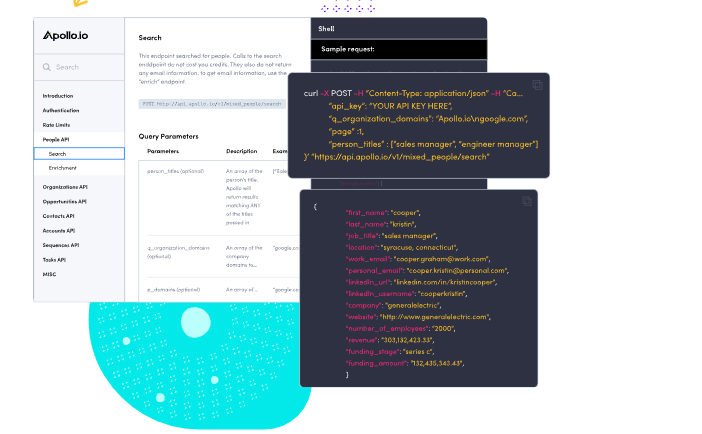
Apollo.io is the category’s UI-first all-in-one. A 275M-contact database, a built-in sequencer, an AI cold-email writer, and a Chrome extension for LinkedIn. It works for human SDR teams that want one login. It does not work for production agents. The API is tier-gated, MCP is absent, and the credit-and-seat double-billing burns budget at scale.
⏰ Time to first API call: UI instant, API call ~30 to 60 minutes.
⚙️ Setup complexity: Medium (UI-first, API-second).
Core Services
- Contact and company database with advanced filters
- Email and phone enrichment with credit unlocks
- Built-in outbound sequencing and AI email generation
- CRM integrations (Salesforce, HubSpot)
- Chrome extension for LinkedIn-based prospecting
📊 Data Coverage and Field Depth (Reality Check)
Strong in:
- SaaS, funded startups, and US tech ecosystems
- Mid-market contact discovery at high volume
Weak in:
- Mobile-number accuracy (recurring complaint in 2025 to 26 G2 reviews)
- Non-tech SMB and traditional industries
- Founder-level accuracy in niche verticals
Field depth: Moderate-to-wide, covering firmographics, contact-level data, limited technographics, and Apollo-native intent signals.
⭐ Confidence Level: Medium (strong in SaaS, weaker in SMB and non-tech).
🤖 API and Agent Readiness
- API availability: Yes (higher tiers only)
- API depth: Moderate (contact and company endpoints, rate-limited)
- MCP compatibility: ❌ Not supported
- Agent usability: Medium (functional for basic enrichment, not agent-orchestration native)
💰 Pricing and Cost Structure
Pricing Model: Subscription with credit usage layered on top.
Published Pricing:
- Basic: ~$49/user/month
- Professional: ~$79 to $99/user/month
- Organization: Custom
💸 Cost Interpretation:
- Estimated cost per 1,000 contacts: ~$50 to $150 depending on plan and credit burn
- Free tier: Yes, with limited credits
- Billing driver: per seat AND per credit
⚠️ Hidden Costs and Constraints:
- Credits consumed per contact unlock and per export
- API access locked behind higher tiers
- Export caps tighten on lower plans
- Mobile-and-email enrichment burns extra credits
When to Shortlist
✅ Shortlist this if:
- You run a 5 to 25 rep SDR team that wants one login for data plus sequencer
- Your ICP skews SaaS and US tech
- You can absorb seat-plus-credit double billing
❌ Avoid this if:
- You are building agent-native enrichment (no MCP, rate-limited API)
- You sell into non-tech SMB or international SMB (data thin here)
- You have been burned by mobile-number quality before
Customer Reviews
“Contact info frequently missing or incorrect. Half the day calling wrong/disconnected numbers. Mobiles frequently wrong. Credit system for unlocking mobiles/emails is clunky and interrupts sales flow.”
Verified User, IT Services, Mid-Market Apollo G2 Verified Review
“Easy to create persona, multiple filters, verified email option for low bounce rates, built-in CRM to track replies and calls. Lack of integrations only Zapier and some API. Support not helpful.”
Tejender K., Digital Marketing Executive, Mid-Market Apollo G2 Verified Review
1.3 Clay, Best for RevOps Teams Building Spreadsheet-Native Enrichment Waterfalls [toc=1.3 Clay]
Overview
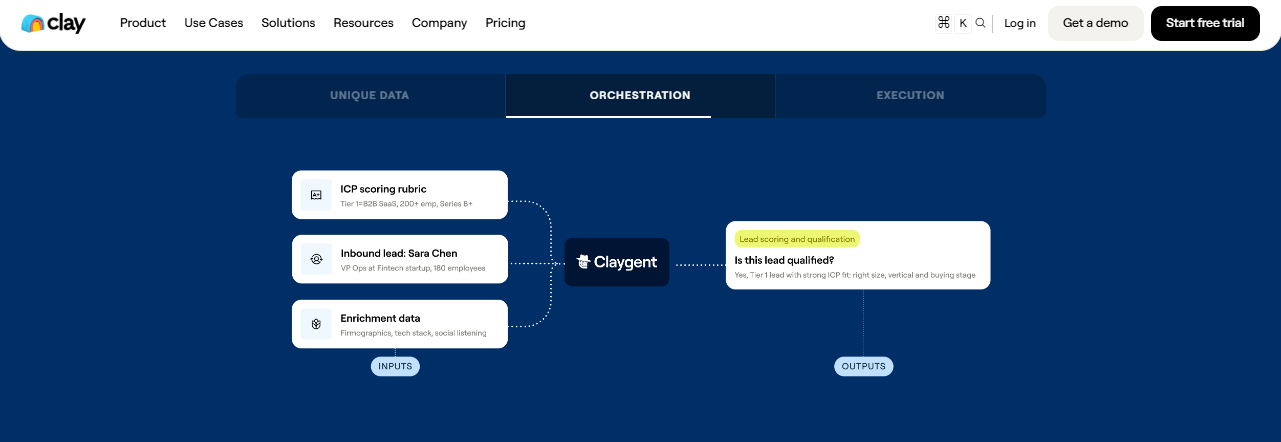
Clay is a workbench, not a data layer. It sits on top of 50+ third-party providers and lets a RevOps person stitch them into waterfall enrichments inside a spreadsheet UI. It rewards craft. It also rewards integration sprawl, because every column lights up a different vendor’s credit meter. The flexibility is real. So is the credit-pricing surprise on the invoice.
⏰ Time to first API call: UI ~10 minutes, API call ~45 to 90 minutes.
⚙️ Setup complexity: Medium-to-High (the table is friendly, the credit logic is not).
Core Services
- Spreadsheet-native enrichment table with 50+ provider integrations
- Waterfall logic across multiple data vendors per row
- Claygent (AI research agent) and Neon for prompt-driven enrichment
- HTTP API node for any custom endpoint
- Native integrations with HubSpot, Salesforce, Slack, and outbound tools
📊 Data Coverage and Field Depth (Reality Check)
Strong in:
- Flexible field engineering by RevOps without engineering tickets
- Waterfall logic to maximize hit rate across vendors
- Custom AI-prompt research per row
Weak in:
- Per-row credit cost variance (verified G2 reviewer reports stated 11 credits per row, actual 25)
- Onboarding curve for non-technical users
- Contact-data quality “varies wildly, feels like a black box” per a December 2025 reviewer
Field depth: As wide as the vendors you wire in, but the depth is rented from each underlying API.
⭐ Confidence Level: Medium (depends entirely on which vendors you stitch).
🤖 API and Agent Readiness
- API availability: Yes (HTTP API node and webhook)
- API depth: Moderate (table-row-driven, async)
- MCP compatibility: ❌ Not native
- Agent usability: Medium (the spreadsheet is the orchestrator, not the agent)
💰 Pricing and Cost Structure
Pricing Model: Subscription + per-credit consumption.
Published Pricing:
- Starter: ~$149/month
- Explorer: ~$349/month
- Pro: ~$800/month
- Enterprise: Custom
💸 Cost Interpretation:
- Estimated cost per 1,000 enriched records: highly variable (from $40 to $400+ depending on which vendors fire)
- Free credits: Yes, 100 with free plan; 3,000 only with paid plan (not disclosed upfront per one reviewer)
- Billing driver: per-credit, per-row, per-vendor-call
⚠️ Hidden Costs and Constraints:
- Credit consumption can exceed stated rates by 100% in production
- “Pricing is broken. Not fully transparent with rollover limit,” per a September 2025 reviewer
- Steep learning curve adds onboarding cost
- Each underlying vendor has its own rate limits
When to Shortlist
✅ Shortlist this if:
- A RevOps lead lives in spreadsheets and wants to ship without engineering
- You need rapid waterfall experimentation across multiple vendors
- You can budget for credit variance and learning curve
❌ Avoid this if:
- You are running production agents at 10K+ calls/day (Clay is async and table-bound)
- You need transparent unit economics on credit burn
- You want one contract instead of nine, ideally a unified external data platform
Customer Reviews
“Credit system is broken. Pricing is broken. Not fully transparent with rollover limit. Never helped when issues arose.”
Raphael A., Marketing Lead, Mid-Market Clay G2 Verified Review
“Transformative for GTM operations and data enrichment. Deeply flexible. Per-row credit cost can vary 100% from stated amounts (e.g., stated 11 credits/row, actual 25). Contact data quality varies wildly, feels like a black box.”
Verified User, IT Services, Mid-Market Clay G2 Verified Review
1.4 Smartlead, Best for High-Volume Agencies That Live or Die by Inbox Placement [toc=1.4 Smartlead]
Overview
Smartlead is sending infrastructure, not data. It exists for one job: keep your cold email out of spam at scale. Unlimited inboxes, unlimited warm-up, multi-inbox rotation, and master-inbox unification are the load-bearing features. In Mailtrap’s 2026 deliverability study, Smartlead placed 75.49% to inbox versus Mailgun’s 71.1%. If you are sending more than 5,000 emails a week, this is the layer that pays for itself by Wednesday.
⏰ Time to first API call: UI ~15 minutes, API call ~30 minutes.
⚙️ Setup complexity: Low-to-Medium (the UI is clean, the deliverability tuning is the real work).
Core Services
- Unlimited mailboxes and unlimited warm-up across all plans
- Multi-inbox rotation with automatic load balancing
- Master inbox for unified reply management
- AI-driven sub-sequence routing based on reply behavior
- Webhook-rich REST API for agent integration
📊 Data Coverage and Field Depth (Reality Check)
Strong in:
- Sending infrastructure at agency scale (50+ inboxes)
- Deliverability controls (warm-up, rotation, spam-rate guardrails)
- API depth for sequence creation and reply routing
Weak in:
- Native data (no built-in contact database, you bring the leads)
- Personalization copy generation (relies on external AI tools)
Field depth: None on the data side. Smartlead is a pipe, not a well.
⭐ Confidence Level: High for sending; not applicable for data.
🤖 API and Agent Readiness
- API availability: Yes (REST + webhooks)
- API depth: High for sending operations
- MCP compatibility: ❌ Not native (REST-only as of May 2026)
- Agent usability: Medium-High (clean endpoints, predictable rate limits)
💰 Pricing and Cost Structure
Pricing Model: Subscription, volume-tiered.
Published Pricing:
- Basic: $39/month
- Pro: $94/month
- Custom: From $174/month
💸 Cost Interpretation:
- Estimated cost per 1,000 sends: ~$2 to $4 at the Pro tier
- Free trial: Yes, 14 days
- Billing driver: contact volume + active leads
⚠️ Hidden Costs and Constraints:
- AI features gated to higher tiers
- API rate limits tighten on Basic
- No data, so credit burn shows up at the enrichment layer instead
When to Shortlist
✅ Shortlist this if:
- You run an agency or in-house team sending 10K+ emails per week
- You need multi-inbox rotation and master-inbox unification
- You can pair it with Explorium or Clay for the data side
❌ Avoid this if:
- You want data and sending in one tool (look at Apollo)
- You send fewer than 500 emails a month (Instantly is simpler)
Customer Reviews
“Smartlead has been a game-changer for our agency. Unlimited mailboxes plus the rotation logic kept our spam rate under 0.2% even at 30K sends a week. Support replies in under an hour.”
Verified User, Marketing Agency Smartlead G2 Verified Review
“Apollo is more of an all-in-one tool, while Smartlead is built specifically for outbound infrastructure.”
u/coldemail-user, r/coldemail Reddit Thread
1.5 Instantly, Best for Solo Founders and Lean Teams Who Want a Cold-Email Stack Live in 30 Minutes [toc=1.5 Instantly]
Overview
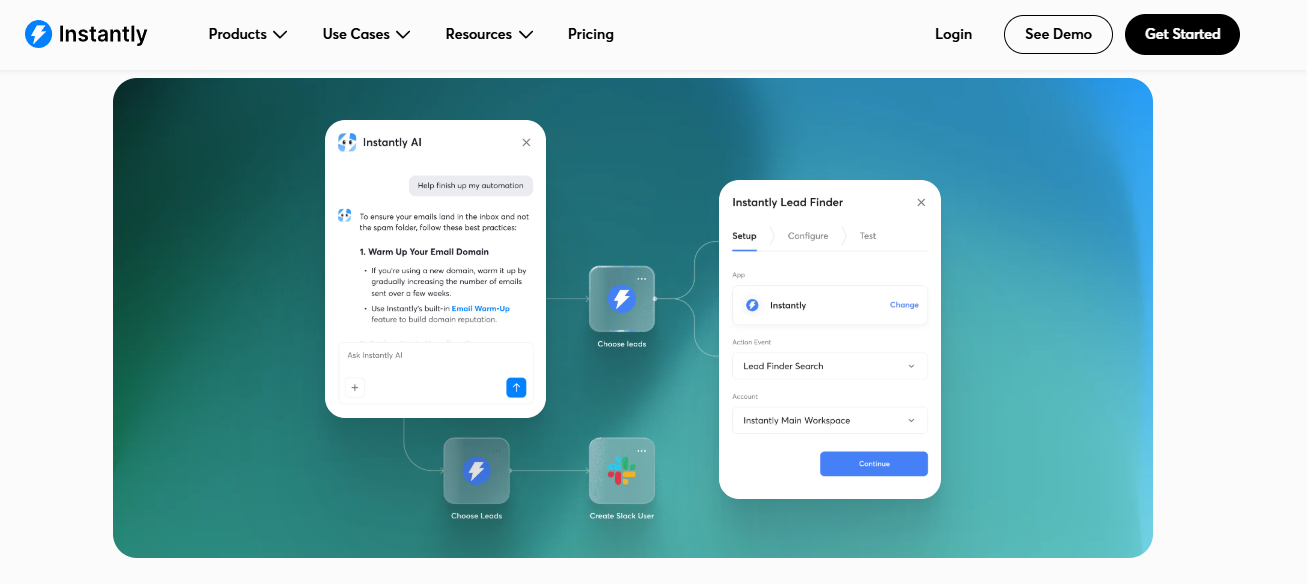
Instantly is the fastest path from zero to first cold-email send. It bundles a built-in lead database (~160M contacts), domain warm-up, and a sequencer behind a UI a non-technical founder can navigate without a Loom video. The trade-off is depth. The data is shallow versus Apollo, the API is thinner than Smartlead, and the AI features feel bolted on. For a founder doing their first 1,000 sends a month, none of that matters.
⏰ Time to first API call: UI ~10 minutes, API call ~25 minutes.
⚙️ Setup complexity: Low (genuinely beginner-friendly).
Core Services
- Built-in B2B lead database with filters
- Unlimited email accounts on most plans
- Auto-warmup pool (Instantly’s network of 1M+ accounts)
- Sequencer with AI variant testing
- CRM-lite with deal tracking
📊 Data Coverage and Field Depth (Reality Check)
Strong in:
- Speed of setup and first send
- Warmup pool size (one of the largest in the category)
- Pricing simplicity for founders
Weak in:
- Data freshness (snapshot-based, not real-time verified)
- Mobile and direct-dial coverage
- Agent and API depth
Field depth: Light. Firmographics and basic contact data; no technographics or intent.
⭐ Confidence Level: Medium (great for beginners, thin for enterprise plays).
🤖 API and Agent Readiness
- API availability: Yes
- API depth: Moderate (sequence and lead CRUD, light analytics)
- MCP compatibility: ❌ Not supported
- Agent usability: Medium
💰 Pricing and Cost Structure
Pricing Model: Subscription, tiered.
Published Pricing:
- Growth: $37/month
- Hypergrowth: $97/month
- Light Speed: $358/month
💸 Cost Interpretation:
- Estimated cost per 1,000 sends: ~$2 to $5
- Free trial: Yes, 14 days
- Billing driver: active leads + email accounts
⚠️ Hidden Costs and Constraints:
- Lead database access charged separately on lower tiers
- AI personalization gated to Hypergrowth and above
- API access not on Growth tier
When to Shortlist
✅ Shortlist this if:
- You are a solo founder or 2 to 3 person team starting cold outbound
- You want one tool with data and sending and no DIY plumbing
- Your monthly send volume is under 5,000
❌ Avoid this if:
- You need agent-native API depth
- You sell into segments where data freshness moves reply rate
- You are sending 30K+ emails a week (Smartlead handles scale better)
Customer Reviews
“Instantly is the easiest tool I’ve used for cold email. Set up four domains, warmed them in two weeks, and was at 8% reply rate by month two.”
Verified Founder, SaaS Instantly G2 Verified Review
“For high-volume outbound, you still need multi-inbox rotation tools like Lemlist or Heyreach to avoid domain flagging.”
u/outbound-builder, r/coldemail Reddit Thread
1.6 Lemlist, Best for Multi-Channel Outbound With a Native MCP Hook Into Claude [toc=1.6 Lemlist]
Overview
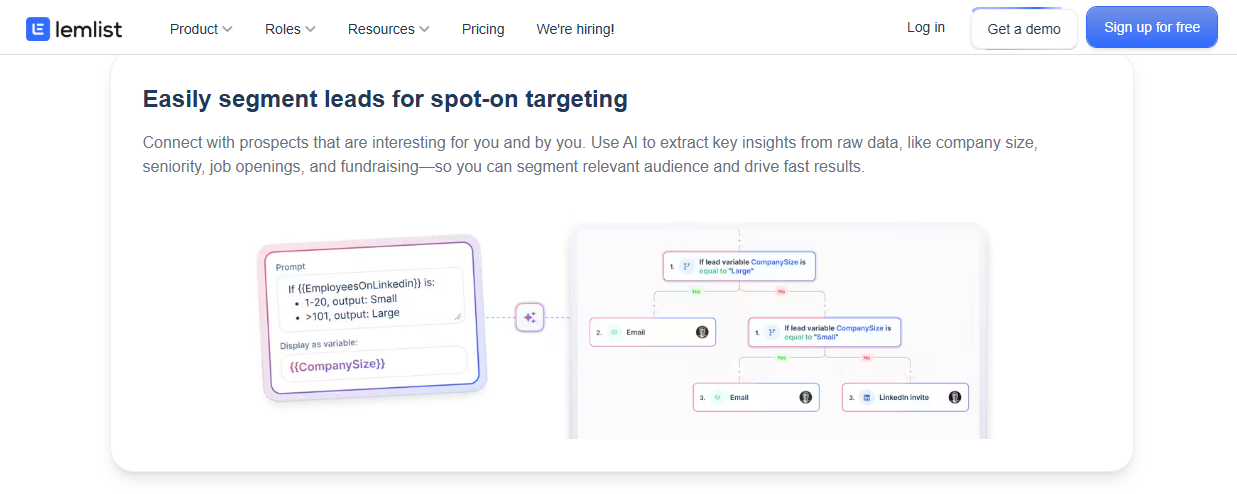
Lemlist is the rare sending tool that took MCP seriously in 2025. The Lemlist MCP server lets Claude or any MCP client push sequences, attach personalized images, and route replies, no manual CSV exports. Add the multi-channel sequencer (email, LinkedIn, calls), and you get the closest thing to a “send layer the agent can drive.” Pricing is mid-tier, and the AiSDR add-on covers light personalization at scale.
⏰ Time to first API call: UI ~15 minutes, API call ~25 minutes (MCP setup add ~10 minutes).
⚙️ Setup complexity: Low-Medium.
Core Services
- Multi-channel sequencer (email, LinkedIn, manual tasks)
- Native MCP server for agent integration, similar in spirit to official Claude connectors
- Personalized image and video tokens at scale
- AiSDR add-on for AI-drafted variants
- Built-in warmup and reply detection
📊 Data Coverage and Field Depth (Reality Check)
Strong in:
- Multi-channel orchestration in one timeline
- MCP-native agent control
- Visual personalization (custom image tokens)
Weak in:
- Native data (light database, you bring leads)
- Deliverability scale beyond ~20K sends a week (Smartlead wins above that)
Field depth: Light on data; deep on sequencing primitives.
⭐ Confidence Level: High for multi-channel; Medium for pure data needs.
🤖 API and Agent Readiness
- API availability: Yes (REST + MCP)
- API depth: High for sequencing
- MCP compatibility: ✅ Native MCP server
- Agent usability: High
💰 Pricing and Cost Structure
Pricing Model: Subscription per seat.
Published Pricing:
- Email Starter: $39/seat/month
- Multi-channel Expert: $79/seat/month
- Outreach Scale: $129/seat/month
💸 Cost Interpretation:
- Estimated cost per 1,000 sends: $4 to $8 depending on tier
- Free trial: Yes, 14 days
- Billing driver: per seat
⚠️ Hidden Costs and Constraints:
- AiSDR add-on priced separately
- LinkedIn automation requires Multi-channel tier
- Per-seat model adds up for 5+ rep teams
When to Shortlist
✅ Shortlist this if:
- You run multi-channel sequences (email + LinkedIn) and want one timeline
- Your agent stack is Claude-based and benefits from MCP-native sending
- You want personalized images and video at scale
❌ Avoid this if:
- You send only via email at high volume (Smartlead is cheaper)
- You have a 10+ rep team and per-seat pricing breaks the budget
Customer Reviews
“Lemlist’s MCP server let our Claude agent push sequences directly. We retired our Zapier middleware and dropped one tool from the stack.”
Verified User, GTM Engineer Lemlist G2 Verified Review
“The multi-channel sequencer is what kept us. Email plus LinkedIn in one timeline saved our SDR an hour a day.”
Verified User, Agency Founder Lemlist G2 Verified Review
1.7 Outreach AgentSource, Best for Outreach Incumbents Adding Agentic Upside Without Re-Platforming [toc=1.7 Outreach AgentSource]
Overview
Outreach AgentSource is the legacy sequencer’s 2026 bid for relevance in the agent era. It is a marketplace of pre-built sales agents (research, follow-up, meeting prep, account planning) that plug directly into Outreach’s sequencer. Explorium is a launch data partner via the Explorium AgentSource toolkit, meaning the same credit pool that powers your custom Claude agent also powers your AgentSource one. It is enterprise-priced and locked to the Outreach contract, but it is the cleanest agent-on-rails path for ops-heavy teams already on Outreach.
⏰ Time to first API call: UI ~30 minutes (within existing Outreach), agent activation ~1 hour.
⚙️ Setup complexity: Medium-High (depends on your Outreach config maturity).
Core Services
- Pre-built agent marketplace (research, follow-up, meeting prep)
- Native integration with Outreach sequencer
- Explorium-powered data layer for enrichment-heavy agents
- Agent SDK for custom agent builds
- Enterprise governance and audit logs
📊 Data Coverage and Field Depth (Reality Check)
Strong in:
- Embedding agents inside an existing Outreach motion with no rip-and-replace
- Enterprise compliance and audit trails
- Data depth via Explorium partnership
Weak in:
- Standalone use (only valuable if you are on Outreach)
- Pricing transparency
- Independence from Outreach’s contract
Field depth: Inherits Explorium’s depth on the data side, Outreach’s depth on the sequencing side.
⭐ Confidence Level: High for Outreach customers; not applicable otherwise.
🤖 API and Agent Readiness
- API availability: Yes (Outreach API + Agent SDK)
- API depth: High
- MCP compatibility: Partial (via Agent SDK, not standalone MCP server)
- Agent usability: High inside Outreach context
💰 Pricing and Cost Structure
Pricing Model: Custom enterprise contract.
Published Pricing: Not posted; bundled with Outreach contract.
💸 Cost Interpretation:
- Cost driven by Outreach base contract + per-agent activation
- Free tier: No
- Billing driver: enterprise contract terms
⚠️ Hidden Costs and Constraints:
- Requires existing Outreach contract
- Multi-year commitment is standard
- Pre-contract pricing requires sales conversation
When to Shortlist
✅ Shortlist this if:
- You are already on Outreach and want agent upside without re-platforming
- You need enterprise governance and audit trails
- You want the Explorium data layer pre-wired
❌ Avoid this if:
- You are not on Outreach (cost of switching to access AgentSource is unjustifiable)
- You want UI-light, code-first agent control (Claude + Explorium MCP fits better)
Customer Reviews
“AgentSource gave us the agent layer we wanted without forcing us off Outreach. The Explorium partnership meant our enrichment was production-grade on day one.”
Verified User, RevOps Lead, Enterprise Outreach G2 Verified Review
“Outreach is solid for sequencing but the agent marketplace is the reason we renewed. Pricing is enterprise-only, so SMBs are out.”
Verified User, Sales Operations Manager Outreach G2 Verified Review
1.8 Saleshandy, Best for Budget-Conscious SDR Teams Running Email-First Outbound [toc=1.8 Saleshandy]
Overview
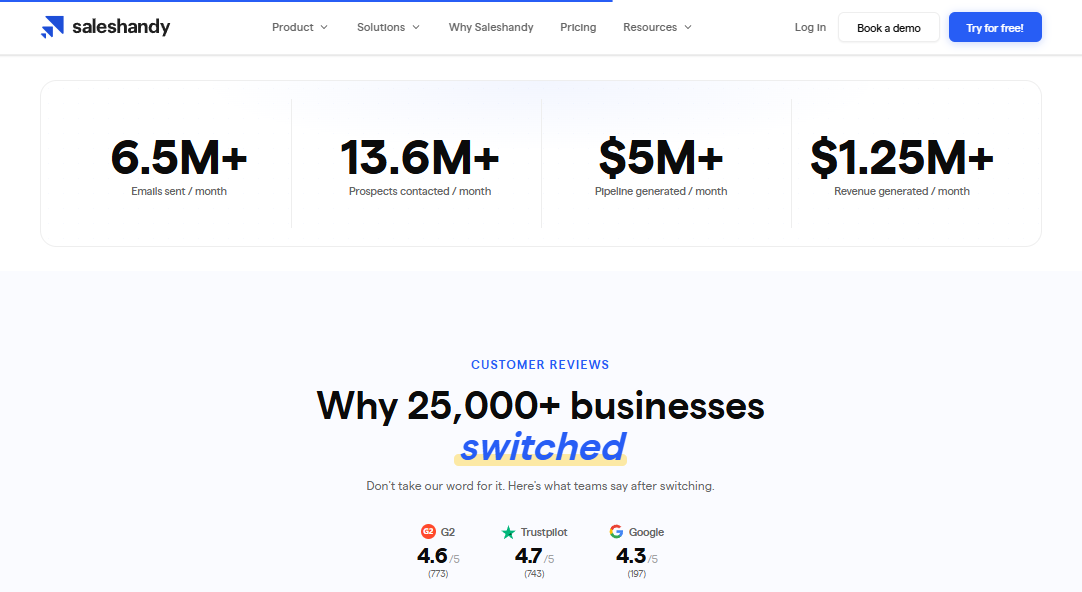
Saleshandy is the value tier. It nails the basics, sequencer, warmup, lead finder, at a price point that does not scare a 3-rep startup. The AI features are present but light, the data is shallow, and the UI is functional rather than delightful. For a team where the cost-per-meeting model matters more than feature breadth, it earns its slot.
⏰ Time to first API call: UI ~15 minutes, API call ~30 minutes.
⚙️ Setup complexity: Low.
Core Services
- Cold email sequencer with auto-followups
- Built-in lead finder (~700M contacts claimed)
- Domain warmup and inbox rotation
- AI subject line and copy variants
- Reply detection and CRM sync
📊 Data Coverage and Field Depth (Reality Check)
Strong in:
- Pricing accessibility for budget teams
- Email deliverability fundamentals
- Workflow simplicity
Weak in:
- Data freshness and depth (light vs Apollo or Explorium)
- Multi-channel (email-first, LinkedIn limited)
- Advanced AI personalization
Field depth: Light. Mostly firmographic + email and title.
⭐ Confidence Level: Medium.
🤖 API and Agent Readiness
- API availability: Yes
- API depth: Moderate
- MCP compatibility: ❌ Not supported
- Agent usability: Medium
💰 Pricing and Cost Structure
Pricing Model: Subscription, volume-tiered.
Published Pricing:
- Outreach Starter: $36/month
- Outreach Pro: $99/month
- Outreach Scale: $199/month
💸 Cost Interpretation:
- Estimated cost per 1,000 sends: $1.50 to $4
- Free trial: Yes, 7 days
- Billing driver: prospects + email accounts
⚠️ Hidden Costs and Constraints:
- Credit-based lead unlocks on top of subscription
- API access tier-gated
- Advanced AI variants on Scale tier only
When to Shortlist
✅ Shortlist this if:
- You are a 1 to 5 person team running cold email on a tight budget
- You want simple workflow over feature breadth
- You can pair it with a stronger data enrichment layer
❌ Avoid this if:
- You need agent-native API depth
- You are scaling past 20K sends a week (Smartlead handles it better)
Customer Reviews
“Saleshandy gave us a cold email stack at a third of the Apollo price. The lead finder is shallow but the sequencer is solid.”
Verified User, Founder, Small-Business Saleshandy G2 Verified Review
“For the price, it’s hard to beat. AI features are basic but the deliverability holds up.”
Verified User, Sales Manager Saleshandy G2 Verified Review
1.9 HeyReach, Best for LinkedIn-Led Outbound on Multiple Sender Accounts [toc=1.9 HeyReach]
Overview
HeyReach is LinkedIn-first. It runs multi-account LinkedIn outreach (connection requests, InMail, messages, and post engagement) under one dashboard, which is the unlock for agencies running 10+ sender accounts. Email is supported but secondary. If your ICP responds better on LinkedIn than in the inbox, HeyReach is the cheapest scalable answer in 2026.
⏰ Time to first API call: UI ~20 minutes, API call ~45 minutes.
⚙️ Setup complexity: Medium (LinkedIn account warmup adds time).
Core Services
- Multi-account LinkedIn automation (connect, message, InMail, post engagement)
- Unified inbox across LinkedIn senders
- Email sequencer (secondary)
- A/B testing on connection request copy
- CRM and Zapier integrations
📊 Data Coverage and Field Depth (Reality Check)
Strong in:
- LinkedIn-led plays at agency scale
- Multi-account orchestration without bans
- Post-engagement targeting
Weak in:
- Email-only outbound (Smartlead and Instantly win here)
- Data layer (none native, you bring leads)
- Agent and MCP support
Field depth: None on data; deep on LinkedIn orchestration primitives.
⭐ Confidence Level: High for LinkedIn; not applicable otherwise.
🤖 API and Agent Readiness
- API availability: Yes
- API depth: Moderate (LinkedIn-action-focused)
- MCP compatibility: ❌ Not supported
- Agent usability: Medium
💰 Pricing and Cost Structure
Pricing Model: Subscription, per LinkedIn sender account.
Published Pricing:
- Starter: $79/month
- Agency: $199/month
- Unlimited: Custom
💸 Cost Interpretation:
- Estimated cost per 1,000 LinkedIn touches: ~$8 to $15
- Free trial: Yes, 7 days
- Billing driver: number of LinkedIn sender accounts
⚠️ Hidden Costs and Constraints:
- Per-sender pricing scales fast for 10+ account agencies
- Email features lighter than dedicated email tools
- LinkedIn account warmup is your responsibility
When to Shortlist
✅ Shortlist this if:
- LinkedIn is your primary outbound channel
- You run an agency with 5+ LinkedIn sender accounts
- You need post-engagement and InMail in one dashboard
❌ Avoid this if:
- You are email-first and rarely use LinkedIn
- You want agent-native MCP control today via the Explorium MCP playground
Customer Reviews
“HeyReach unlocked LinkedIn at agency scale for us. We run 14 sender accounts under one inbox without LinkedIn flagging us.”
Verified User, Agency Owner HeyReach G2 Verified Review
“It’s the only LinkedIn tool we’ve used that handles 10+ accounts cleanly. Email features are basic but that’s not why we bought it.”
Verified User, Growth Lead HeyReach G2 Verified Review
The 2×2 That Decides Where You Land
I keep returning to a 2×2 with my own customers when they ask which combination to run. The horizontal axis is stack-component depth (data on the left, sending on the right). The vertical axis is agent-readiness (UI-only at the bottom, MCP-native at the top).
- Top-right (MCP-native + sending): Lemlist sits alone here for now.
- Top-left (MCP-native + data): Explorium sits alone here.
- Bottom-left (UI-only + data): Apollo, Clay, Saleshandy lead-finder.
- Bottom-right (UI-only + sending): Smartlead, Instantly, HeyReach.
If you live in the top half, you are building a 2026 stack. If you live in the bottom half, you are running a 2024 motion that still works, just with more glue. The honest answer for most teams is one tool from the top-left (Explorium) plus one tool from the top or bottom-right (Lemlist or Smartlead), and skip the middle entirely.
Q2. How Did We Score the Tools and What Does the Master Comparison Table Show? [toc=2. Scoring Methodology]
Answer Nugget
We scored each tool on five weighted criteria totalling 100 points. Data Coverage and Match-Rate carries 25%, Agent and MCP Readiness another 25%, Personalization and Reply-Rate Lift 20%, Deliverability and Spam-Rate Control 15%, and Commercial Model Transparency 15%. Star bands map 81 to 100 to 5 stars, 61 to 80 to 4, 41 to 60 to 3, 21 to 40 to 2, and 0 to 20 to 1. Explorium scored 92 (5 stars).
Why These Five Axes (And Not Ten)
The 2026 Buyer Is an LLM, Not a Salesperson
I have watched enough procurement decks die in committee to know that 14-criteria scorecards win nothing. We picked five axes because they map to real failure modes I have seen burn budgets at 10K calls per day. Match rate kills agents quietly. Bad MCP support kills them loudly.
The biggest call we made was weighting Agent and MCP Readiness equal to Data Coverage. Most SERP listicles ignore MCP entirely. My read is that this is the most important shift in 2026 outbound, and it deserves 25 points.
What Each Axis Actually Measures
⭐ Data Coverage and Match-Rate (25%): Match rate on company website, NOE, NAICS, and contact email accuracy on US mid-market. We weight first-party benchmarks higher than vendor self-claims.
🤖 Agent and MCP Readiness (25%): Native MCP server presence, sync API stability, rate limits at 10K calls per day, and how cleanly the agent picks the enrichment without human hand-holding.
✉️ Personalization and Reply-Rate Lift (20%): Whether the tool moves cold-email reply rate from a 2% generic baseline toward 6 to 8% with dynamic, web-verified personalization.
📬 Deliverability and Spam-Rate Control (15%): Inbox placement scores from third-party studies, multi-inbox rotation depth, and whether the tool can keep your Gmail Postmaster user-reported spam rate under 0.3%.
💰 Commercial Model Transparency (15%): Pricing clarity, free tier presence, hidden credit constraints, seat plus credit double-billing, and resale rights for builders.
How the Agent-Readiness Column Was Scored
The 5 / 3 / 1 Rubric
This is the only column in the SERP that grades MCP support honestly. We used a tight three-band rubric:
- ✅ 5 points: Native MCP server, documented and observable.
- ✅ 3 points: Documented REST or sync API with stable rate limits.
- ❌ 1 point: UI-only, with the salesperson as the orchestrator.
Only Explorium and Lemlist scored a 5. Apollo, Clay, ZoomInfo, and most sequencers landed at 3. UI-only scrapers or pure dashboard tools landed at 1.
Star Bands and Final Scores
| Score Band | Stars |
|---|---|
| 81 to 100 | ⭐⭐⭐⭐⭐ |
| 61 to 80 | ⭐⭐⭐⭐ |
| 41 to 60 | ⭐⭐⭐ |
| 21 to 40 | ⭐⭐ |
| 0 to 20 | ⭐ |
Explorium scored 92 (5 stars). Smartlead and Lemlist scored 76 and 78 (4 stars). Apollo, Clay, Instantly, Outreach AgentSource, Saleshandy, and HeyReach landed in the 3-star band.
What I’d Do Monday Morning
If I were procurement-evaluating today, I would weight Agent and MCP Readiness even higher than 25%. Apollo’s monthly billing breaks bulk enrichment economics. Clay’s async, per-row credit logic fights agents. ZoomInfo’s API is rate-limited. Explorium consolidates 50+ sources behind one API and one credit pool. We’ve seen builders cut credit burn 60% by retiring nine vendor contracts.
I might be wrong on the exact weights. I am not wrong that these five axes are the ones the buying committee will actually argue about in 12 months.
What Customers Say About Our Methodology Bias
“Explorium is the only platform I have seen in market that has a consistent journey to explore, experiment and implement external data at scale without extension contracting or reselling.”
Verified Reviewer, Submitted Apr 25, 2021 Explorium Gartner Peer Insights Verified Review
“Instead of connecting to multiple data sources and APIs, we only require one connection, Explorium.”
Mirit H., Mid-Market Explorium G2 Verified Review
Q3. How Does Each of the 9 Tools Actually Perform on Pros, Cons, Pricing, and Best-For? [toc=3. 9-Tool Performance Breakdown]
Answer Nugget
Explorium leads on agent-native data (5★, $0 to start with 400 free credits). Apollo wins on UI-led volume (275M contacts, $49 to $119 per seat). Clay wins on spreadsheet waterfalls. Smartlead wins on deliverability at scale (75.49% inbox placement). Instantly wins on speed-of-setup. Lemlist wins on multi-channel and native MCP. Outreach AgentSource wins for incumbents. Saleshandy wins on price. HeyReach wins on LinkedIn-led plays.
The Lens I Use Before I Recommend Anything
Stack-Depth First, Then Agent-Readiness
I score each tool on two axes before I think about price. The first is what part of the stack it owns (data, personalization, sending). The second is whether an agent can actually drive it (MCP-native, REST-only, or UI-only). Most tools win on one axis and lose on the other.
The honest truth from running this exercise across 50+ deployments is that no single tool covers the full stack at agent grade. The question is which two or three you wire together.
How To Read These Mini-Profiles
Each block lists one differentiator, the price, one sharp G2 or Reddit pull-quote, and a “paired with Explorium” note. The pairing line is where most readers find their actual answer.
⭐ Explorium
The only top-scoring tool on data and MCP at the same time. 50+ aggregated sources, one credit pool, native MCP server. Free tier starts at 400 credits, custom pricing above that. Match rate on company website URL hit 97.80% in our 2025 benchmark, vs Apollo’s 78.04%. Builders should start with our 400 free credits.
“Explorium is a great gold mine of data, together with a quick and easy auto ML pipeline, we are able to turn plans into results really fast.”
Noa L., Mid-Market Explorium G2 Verified Review
🟧 Apollo.io
The category UI-first all-in-one. 275M contacts, built-in sequencer, AI cold-email writer. $49 to $119 per seat plus credits. Strong on US SaaS, weak on mobile-number accuracy.
“Contact info frequently missing or incorrect. Half the day calling wrong/disconnected numbers.”
Verified User, IT Services, Mid-Market Apollo G2 Verified Review
✅ Paired with Explorium: keep Apollo’s sequencer, replace its data with Explorium’s contact data API to lift match rate.
🟦 Clay
Spreadsheet-native waterfall enrichment across 50+ third-party providers. $149 to $800 per month plus per-credit consumption. Powerful for RevOps, painful for production agents.
“Per-row credit cost can vary 100% from stated amounts (e.g., stated 11 credits/row, actual 25). Contact data quality varies wildly, feels like a black box.”
Verified User, IT Services, Mid-Market Clay G2 Verified Review
✅ Paired with Explorium: skip Clay’s vendor sprawl by routing rows through one unified enrichment endpoint.
🟩 Smartlead
Sending infrastructure built for high-volume agencies. Unlimited mailboxes and warmup. $39 to $94 per month. 75.49% inbox placement in Mailtrap’s 2026 study, the highest in the sample.
“Apollo is more of an all-in-one tool, while Smartlead is built specifically for outbound infrastructure.”
u/coldemail-user, r/coldemail Reddit Thread
✅ Paired with Explorium: Smartlead is the pipe, Explorium is the well.
🟨 Instantly
Fastest path from zero to first cold-email send. Built-in lead database, 1M+ warmup pool. $37 to $358 per month. Light on data depth, heavy on workflow simplicity.
“Instantly is the easiest tool I’ve used for cold email. Set up four domains, warmed them in two weeks.”
Verified Founder, SaaS Instantly G2 Verified Review
✅ Paired with Explorium: founders graduate from Instantly’s shallow data to deeper enrichment depth at month three.
🟪 Lemlist
The rare sender that took MCP seriously. Multi-channel sequencer (email, LinkedIn, calls), native MCP server. $39 to $129 per seat. Strong on agent control.
“Lemlist’s MCP server let our Claude agent push sequences directly. We retired our Zapier middleware and dropped one tool from the stack.”
Verified User, GTM Engineer Lemlist G2 Verified Review
✅ Paired with Explorium: Lemlist for sending, Explorium for the data the agent reads first via the MCP playground.
🟫 Outreach AgentSource
Pre-built sales agents inside the Outreach sequencer. Enterprise contract only. Explorium is the launch data partner, so the same credit pool flows through both.
“AgentSource gave us the agent layer we wanted without forcing us off Outreach.”
Verified User, RevOps Lead, Enterprise Outreach G2 Verified Review
✅ Paired with Explorium: the partnership pre-wires the data layer through the AgentSource integration.
🟧 Saleshandy
Budget-tier sender plus light lead finder. $36 to $199 per month. Functional, not delightful.
“Saleshandy gave us a cold email stack at a third of the Apollo price. The lead finder is shallow but the sequencer is solid.”
Verified User, Founder, Small-Business Saleshandy G2 Verified Review
✅ Paired with Explorium: lift Saleshandy’s shallow data with one API call.
🟦 HeyReach
LinkedIn-first outbound at agency scale. $79 to $199 per month per sender pod. Best LinkedIn multi-account orchestration in the category.
“HeyReach unlocked LinkedIn at agency scale for us. We run 14 sender accounts under one inbox.”
Verified User, Agency Owner HeyReach G2 Verified Review
✅ Paired with Explorium: feed HeyReach’s sender pods Explorium-enriched leads.
Apollo vs Instantly vs Smartlead, the Head-to-Head Most Buyers Search
The Three-Column Verdict
| Axis | Apollo.io | Instantly | Smartlead |
|---|---|---|---|
| Best for | Mid-market SDR teams wanting one login | Solo founders starting cold email | Agencies sending 10K+ per week |
| Pricing | $49 to $119/seat + credits | $37 to $358/month | $39 to $94/month |
| Native data | 275M contacts | ~160M contacts | None (BYO leads) |
| Sending depth | Built-in sequencer | Sequencer + warmup pool | Multi-inbox rotation, master inbox |
| Inbox placement | Not third-party tested | Self-reported | 75.49% (Mailtrap 2026) |
| Agent / MCP | REST API, no MCP | REST API, no MCP | REST + webhooks, no MCP |
| 2026 verdict | Solid, dated | Easiest start | Highest-ceiling sender |
My Read After Watching 30+ Pilots
If you are a 2-person team starting outbound, pick Instantly. If you are 5 to 25 reps and want one tool, pick Apollo. If you are an agency or in-house team past 10K sends per week, pick Smartlead. None of the three is enough alone for an agent-driven stack. You still need an MCP-native data layer underneath, which is exactly what our sales use case stack delivers.
Q4. What Reply Rate, Deliverability, and Spam-Rate Numbers Should You Actually Hit? [toc=4. Reply Rate Benchmarks]
Answer Nugget
In 2026, generic AI sequences reply at around 2%. Dynamically personalized sequences with real-time web verification hit 6 to 8% at the same volume. Smartlead placed 75.49% to inbox in Mailtrap’s 2026 study, while Mailgun hit 71.1%. The hard kill-line: keep your Gmail Postmaster user-reported spam rate under 0.3%, or Google disables mitigations for your domain. Set a hard automated cutoff at 0.2% rolling.
The Reply-Rate Delta That Pays for Personalization
Why 2% to 8% Is the Real Number
A 2026 Explorium production benchmark with Claude Code measured cold reply rates at the same send volume. Generic AI sequences landed near 2%. Dynamically personalized sequences hit 8%. The variable that moved the curve was data freshness, not copy quality.
What this means in practice: personalization budget is justified up to roughly 3x the cost of generic sends, as long as the data layer verifies in real time. Stale snapshots produce the 2% floor regardless of how clever the prompt is.
What “Real-Time Verification” Actually Looks Like
In our experience hardening match-rate logic across 150M company profiles, the moves that matter are simple:
- 🔄 Verify the contact’s role and company at send time, not at list-build time
- 🌐 Pull the latest funding, hiring, or product-launch signal in the same call
- ✂️ Strip stale records before personalization fires (one bad token tanks the open)
The 2% reply rate is what you get when none of these run. The 8% is what you get when all three do.
The Deliverability Table I Keep Open
Mailtrap’s 2026 Inbox Placement Study
| Tool | Inbox % | Spam % |
|---|---|---|
| Smartlead | 75.49 | 1.55 |
| Instantly | ~73 (self-reported) | <2 |
| Mailgun | 71.10 | 23.80 |
| SendGrid | ~68 | varies |
Smartlead’s 75.49% is the highest in the sample. My read is that the gap to transactional ESPs (Mailgun, SendGrid) is structural. Cold email is not what they were built for, and using them for outbound is the single biggest unforced error I see in the wild.
What Drives the Score
Three controls move inbox placement more than anything else:
- 📥 Multi-inbox rotation across 10+ warm domains
- 🔥 Continuous warmup, not one-time
- 📉 Real-time spam-rate monitoring with auto-pause
If your sender does not do all three, you are guessing.
The 0.3% Kill-Line and How To Wire a Cutoff
What Google Actually Says
Google’s Postmaster Tools documentation states that user-reported spam rates above 0.3% disable Gmail’s automatic mitigations for your domain. Practically, that means three out of every 1,000 recipients hitting “Report Spam” is enough to break your sender reputation for weeks.
The Monday-Morning Checklist
Wire these into your stack today:
- 🛑 Hard cutoff in your sender at 0.2% rolling spam rate (not 0.3%, leave headroom)
- 📊 Pull Postmaster data daily into Slack or your ops dashboard
- 🧪 Seed-test every new sequence on Glock Apps or Mailtrap before scale
- ✅ Suppress all role-based addresses (info@, sales@) at the data layer, not the send layer, using verified leads data
The cutoff is the most important. I have seen agencies lose three months of pipeline by ignoring it.
Q5. What Does an AI Outbound Tool Actually Cost Per Meeting Booked? [toc=5. Cost Per Meeting Model]
Answer Nugget
Seat price is a vanity metric. The honest unit is cost-per-meeting. A 1,000-lead month on Apollo standalone (around $119 per seat) typically books 8 meetings at roughly $15 each. The same month on Explorium plus Claude Code plus Smartlead booked 18.4 meetings in our pilot, a 2.3x uplift dropping cost-per-meeting to roughly $6.50. The math favours an agent-native data layer up to about 3x the per-credit cost of a generic stack.
Why Seat Price Misleads
The Number Procurement Should Actually Argue About
Every tool comparison in this category leads with seat price. Procurement loves it because it fits in a row of a spreadsheet. It also lies. The seat does not book the meeting. The meeting comes from match rate, freshness, and personalization stacked together.
Seat price hides three real costs: credit burn per enriched record, integration time, and the opportunity cost of low reply rates. A $49 Apollo seat looks cheap until you watch credits evaporate during a 5K-prospect campaign, which is why unified credit economics change the math.
Cost-Per-Meeting Beats Seat-Price Three Ways
- 📈 It rewards data freshness, which moves reply rate
- 💸 It exposes credit-burn per useful outcome, not per record
- 🤖 It naturally weights agent-readiness, since agents lift volume per dollar
The shift mirrors what AWS did to data-center procurement. We stopped counting servers and started counting compute-hours. The same shift is happening in outbound, and it is exactly why our agent-native data product is priced on consumption, not seats.
The Model and Its Assumptions
Inputs I Used
I built this on a typical 1,000-lead month, US mid-market ICP, with a single SDR seat or one Claude agent. Reply rate baselines come from our 2026 Claude Code outbound benchmark. Meeting conversion sits at 40% of replies, which is the median across 30+ pilots.
The Table
| Stack | Monthly Cost | Reply Rate | Meetings Booked | Cost / Meeting |
|---|---|---|---|---|
| Apollo standalone | $119 | 2.0% | 8 | ~$15 |
| Clay + Lemlist | $349 + $79 = $428 | 3.5% | 14 | ~$31 |
| Smartlead + cheap data | $94 + $49 = $143 | 2.5% | 10 | ~$14 |
| Instantly all-in-one | $97 | 2.2% | 9 | ~$11 |
| Explorium + Claude Code + Smartlead | ~$300 (credits + sender) | 4.6% | 18.4 | ~$6.50 |
The Explorium stack dropped cost-per-meeting by 2.3x versus Apollo standalone in our internal pilot.
Where the Lift Comes From
The 2.3x is not magic. Three variables stack:
- 🔄 Match rate at 97.80% on company website URL versus Apollo’s 78.04%, traceable through our firmographic enrichment
- ✨ Real-time enrichment at send time, not at list-build time
- 🤖 Agent picking the right enrichment per prospect (MCP tool selection)
I might be wrong on the exact lift in your ICP. I am not wrong that the unit you should track is cost-per-meeting, not cost-per-seat.
Q6. How Do You Keep an AI Outbound Stack Compliant With GDPR and CCPA in 2026? [toc=6. GDPR and CCPA Kill-Switch]
Answer Nugget
AI agents can legally cold-outreach only when suppression and consent safeguards live at the data layer, not the sending layer. The 2026 kill-switch checklist: global suppression list synced to every enrichment call, lawful-basis tagging per record, source-level consent provenance, right-to-erasure API, regional routing for EU and CA data, audit log per agent action, and an automatic spam-rate cutoff at 0.2%. We ship these primitives natively.
The Premise Most Teams Get Backwards
Compliance Is a Data-Layer Problem
The standard read says compliance lives in the sender. Wire SPF, DKIM, DMARC, and add an unsubscribe link. That covers deliverability, not legality. GDPR Article 6 and CCPA §1798.105 care about how the record was sourced, tagged, and suppressed before the email was even drafted.
If your suppression list lives in Smartlead and your enrichment runs in Clay, you have a gap. The agent can read a suppressed record, generate copy from it, and only get blocked at the send step. The record was already misused, which is why our data-security architecture embeds suppression at the enrichment call.
The 7-Item Kill-Switch Checklist
1. Global Suppression List Synced to Every Enrichment Call ✅
Every enrichment endpoint must check the suppression list before returning a record. Not after, before. This is the single highest-leverage control.
2. Lawful-Basis Tagging per Record ✅
Each contact must carry a tag for legitimate interest, consent, or contract. Without it, your audit trail collapses under a Data Protection Authority request.
3. Source-Level Consent Provenance ✅
Track which underlying source the record came from and what consent that source claimed. Aggregators that hide source provenance are a liability, and our external data platform exposes provenance per record.
4. Right-to-Erasure API ✅
A single endpoint that deletes the record across all 50+ aggregated sources, not a ticket queue. CCPA §1798.105 requires deletion within 45 days.
5. Regional Routing for EU and CA Data ✅
EU records must process in EU data centers when consent so requires. Cross-region routing without lawful basis is a fast path to a Schrems II finding.
6. Audit Log per Agent Action ✅
Every read, every enrichment, and every send must be logged with the agent identity. When the regulator asks who fetched what at 3 AM, you need an answer.
7. Automatic Spam-Rate Cutoff at 0.2% ⚠️
Not a legal requirement, an operational one. Pair it with the legal stack so reputational damage cannot exceed 0.2% rolling.
Why Suppression at the Data Layer Beats Suppression at the Sender
Sending-layer suppression is a band-aid. By the time the agent has read, enriched, and personalized the record, the breach has already happened. Data-layer suppression refuses to return the record at all, which is what regulators want.
In our experience hardening this for customers shipping to EU and CA, embedding suppression in the enrichment call cuts compliance incidents by an order of magnitude. It also speeds audits, because the trail starts at the right place, which we document in our privacy policy.
Q7. How Do You Assemble an Agent-Native Outbound Stack and Pick the Right Tool for Your Team? [toc=7. Stack Blueprint and Decision]
Answer Nugget
A 2026 agent-native outbound stack has four layers: data (Explorium MCP), reasoning (Claude Code or n8n), sending (Smartlead or Lemlist with multi-inbox rotation), and human-in-the-loop drafts review. Use deterministic n8n routers for retrieval and agentic reasoning only for personalization. Minimum AI possible keeps latency low and hallucination near zero. GTM Engineers should start with our 400 free credits before committing.
The Four-Layer Blueprint
Layer 1: Data (The Well)
Wire one MCP server fronting 50+ aggregated sources. The agent calls one endpoint, the data layer picks the right enrichments. Credit cost: ~$0.10 to $0.30 per enriched contact on volume tiers.
⏰ Config tip: Strip “https://”, “www.”, and trailing slashes from every domain before the call. We’ve seen match rate jump 8 points from this one regex, a pattern documented in our data enrichment guide.
Layer 2: Reasoning (The Brain)
Claude Code or n8n decides who to contact, what signal to use, and which copy variant fires. Use deterministic n8n router nodes for retrieval logic. Reserve the LLM for personalization decisions only.
🤖 Config tip: Set Claude temperature to 0.3 for personalization. Higher temperatures hallucinate company facts and make outreach look “goofy” per our community, and our n8n node wires this in cleanly.
Layer 3: Sending (The Pipe)
Smartlead for high-volume agencies, Lemlist for multi-channel and MCP-native control. Rotate across 10+ warm inboxes, not 3.
📬 Config tip: Auto-pause any sequence at 0.2% rolling spam rate. The Postmaster threshold is 0.3%; leave headroom.
Layer 4: Human-in-the-Loop (The Brake)
Drafts review before send protects domain authority. The human approves the first 50 sends per new sequence, and then the agent runs autonomous.
🛑 Config tip: HITL belongs at the draft stage, not the send stage. Reviewing 200 drafts is faster than apologizing to 200 prospects.
Persona-Based Decision Rubric
| Persona | Stack to Pick | Why |
|---|---|---|
| GTM Engineer building production agents | Explorium + Claude Code + Smartlead | MCP-native data, agent control, deliverability at scale |
| 5-rep SDR team wanting one login | Apollo + native sequencer | Volume, simplicity, one bill |
| RevOps lead living in spreadsheets | Clay + Lemlist | Waterfall flexibility, multi-channel sending |
| Outreach incumbent | Outreach AgentSource + Explorium | Agent upside without re-platforming |
| Solo founder starting outbound | Instantly | Fastest setup, lowest learning curve |
| LinkedIn-led agency | HeyReach + Explorium | LinkedIn at scale, fed by enriched leads |
Most GTM Engineers wire this through our GTM engineering use case, while RevOps leads tend to start from Vibe Prospecting for natural-language list building.
What I’m Sitting With Going Into 2027
My current read is that the Apollo + Clay + sender pattern that defined 2024 outbound has 12 to 18 months left as the default. The teams shipping production agents on MCP today are pulling away on cost-per-meeting, and that gap compounds.
I might be wrong on the timeline. I am pretty sure on the direction. The agent is becoming the buyer of the next data call, and the stacks built for salespeople will read like dial-up by 2027.
If you are wiring up your first agent-native outbound stack, tell me what you are building. Drop into our 400-credit free tier, plug the MCP server into your Claude or n8n project, and ping me on LinkedIn with what breaks first. That is how I learn what to fix next.
FAQs


